How Do I set up an Alexa Enabled Device with VoiceFriend?
1. Log into your VoiceFriend account using your username and password.
2. Click the Profiles tab at the top of the screen.
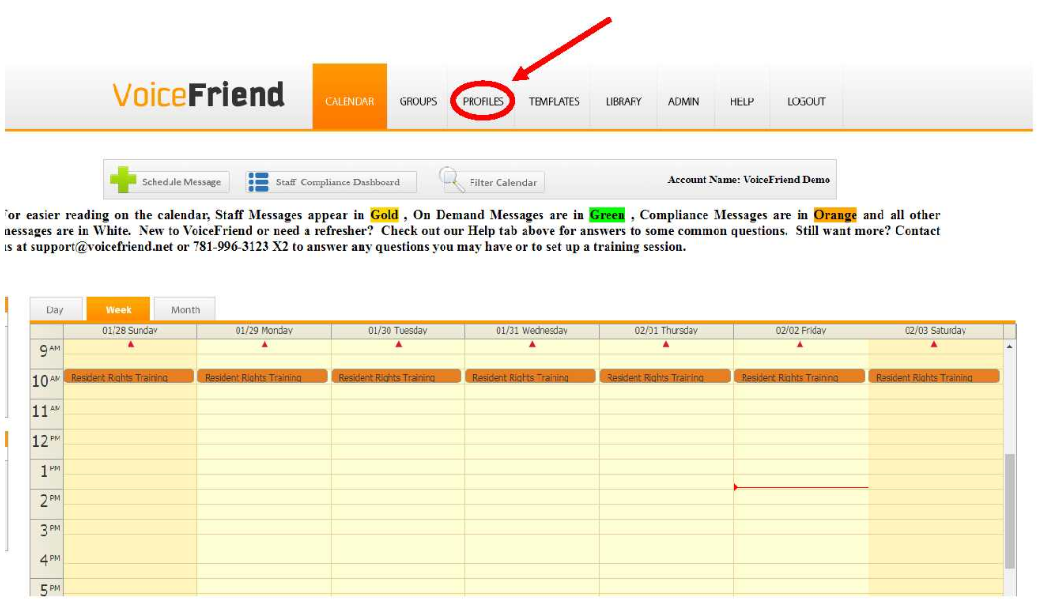
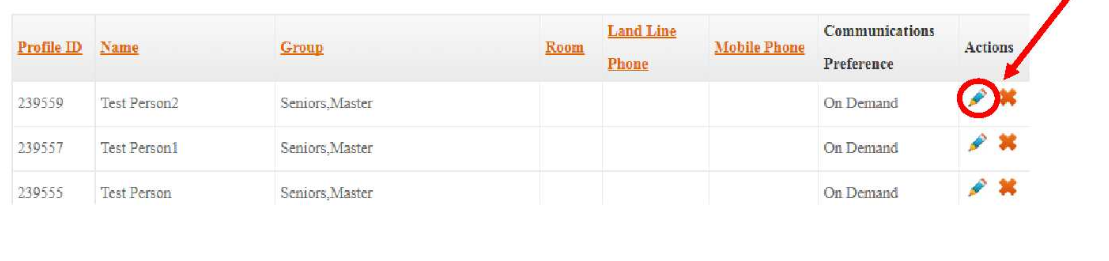
3. Once in the Profiles section, find an individual you want to enable Alexa for. Select the pencil icon on the far right of the screen to edit the profile.
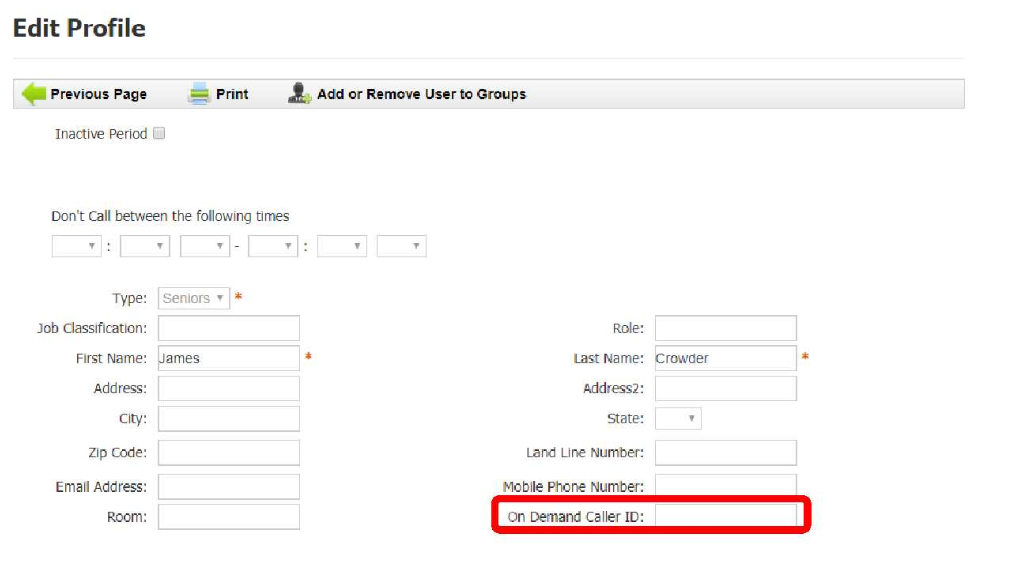
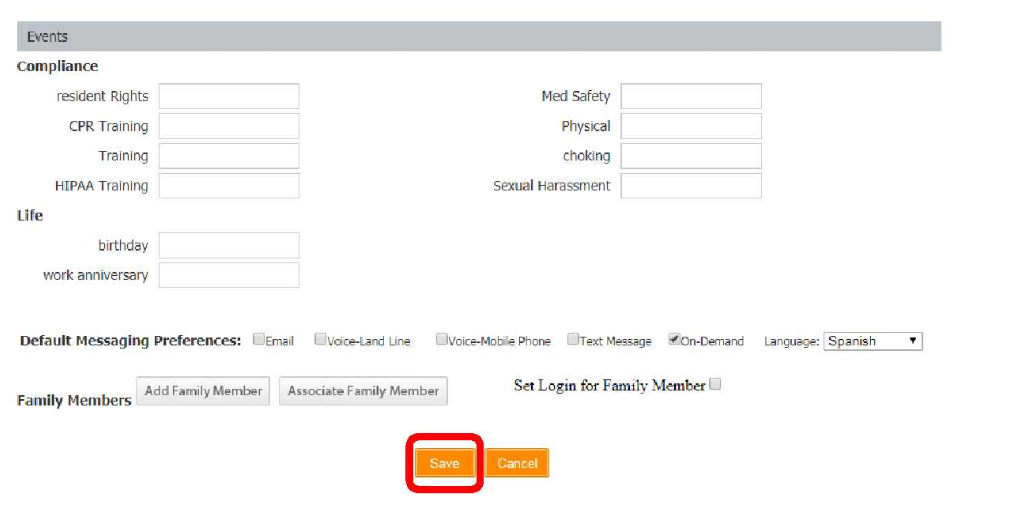
4. Under the Edit Profile section, insert the telephone number of the individual you want connected to Alexa in the On-Demand Caller ID box.
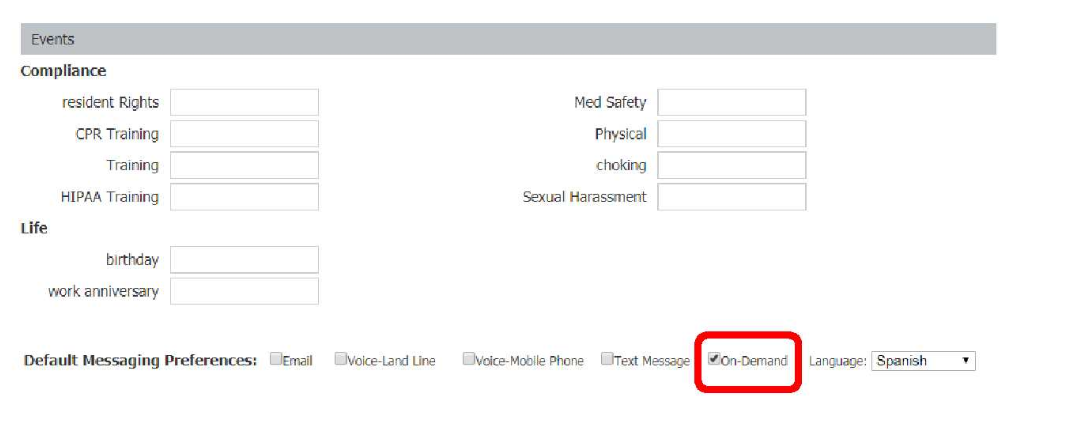
5. Select On-Demand as a default message preference towards the bottom of the screen.
6. Select Save.
7. Plug in your Amazon enabled device.
8. To enable the VoiceFriend application, there are two options (See step 9 to enable directly on the Amazon enabled device using voice activation. See steps 10-13 to enable the VoiceFriend application online).
9. Instruct the Amazon Alexa enabled device using the voice command- "Alexa, enable VoiceFriend". If you choose this method of enabling, skip to step 14.
10. The other method to enable VoiceFriend is to go to the Amazon Skills store (https://www.amazon.com/b?node=13727921011).
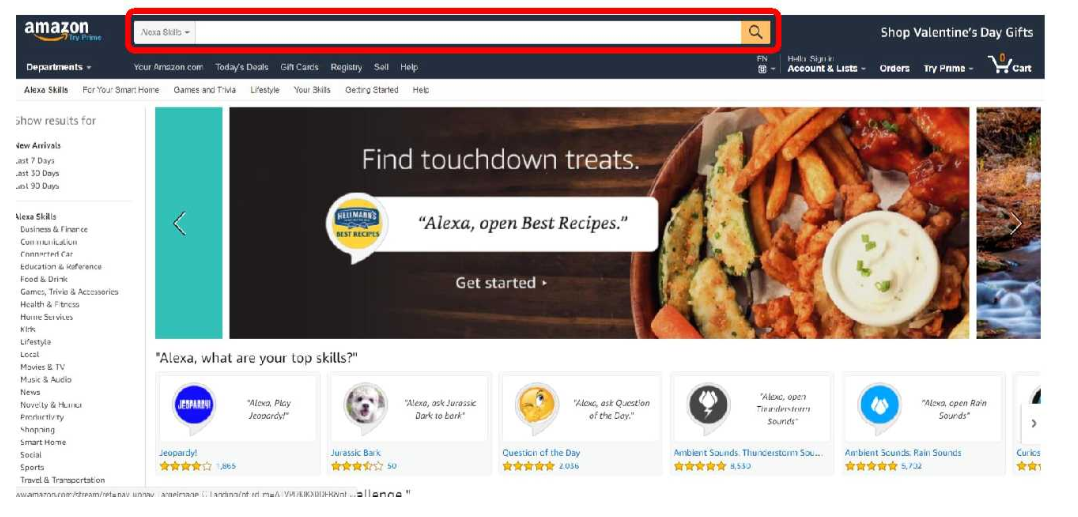
11. Once you are on the Amazon Skills store website, type in VoiceFriend in the search bar at the top of the page.
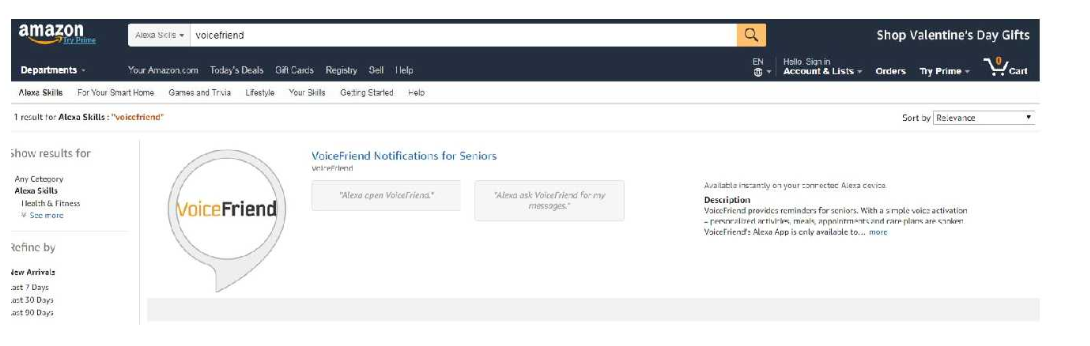
12. Select VoiceFriend Notifications for Seniors.
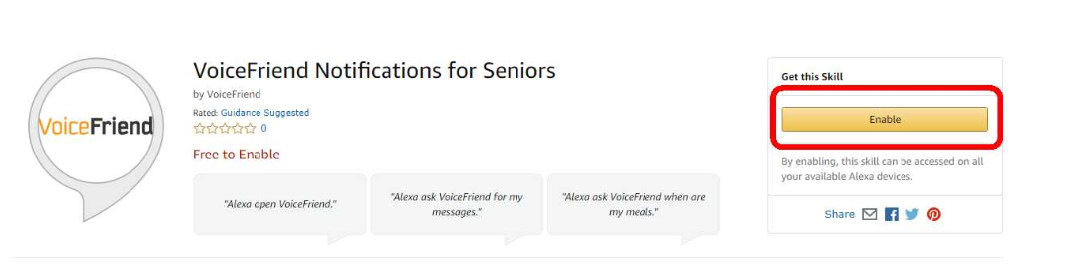
13. Select Enable.
14. Once the VoiceFriend application is enabled (either by voice command or through the Amazon Skills website), the Amazon enabled device will prompt you to to enter a 10-digit number. Make sure this number is the same number you entered in the On-Demand Caller ID box in step 4.
15. To hear events and reminders on the Amazon enabled device, say "Alexa, ask VoiceFriend", to the Amazon enabled device. Alexa will then speak an introductory message followed by messages only up until the time they are scheduled on the VoiceFriend calendar.
Other VoiceFriend voice commands that will elicit a response from Alexa:
Meals:
Alexa ask VoiceFriend:
- What are my meals
- What’s for dinner
- What’s for lunch
- What’s for breakfast
Activities/Events:
Alexa ask VoiceFriend:
- What are my activities
- What are my events
Care Plans/Medications:
Alexa ask VoiceFriend:
- What are my medications
- What are my careplans
Wellness/Safety Checks:
Alexa tell VoiceFriend I’m okay
Request assistance from the staff on duty:
Alexa tell StaffAlert
16. To schedule events and reminders on the calendar, please refer to the article How do I create and send messages?.