How to find text message replies
If a recipient of a text message replies directly to the text, it is visible in three locations:
1. As a text to one or more mobile-phone numbers that are set-up in the Administration section. Please contact VoiceFriend Technical Support for help in setting this up.
2. As an email to one or more email addresses that are set-up in the Administration section. Please contact VoiceFriend Technical Support for help in setting this up.
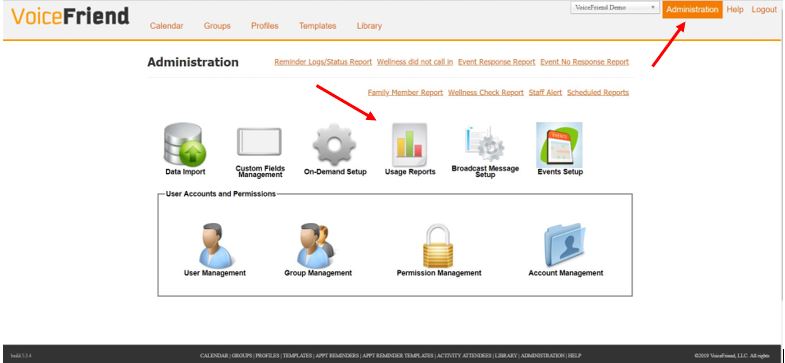
3. As a report available by clicking on the Administration tab, then clicking the Usage Reports.
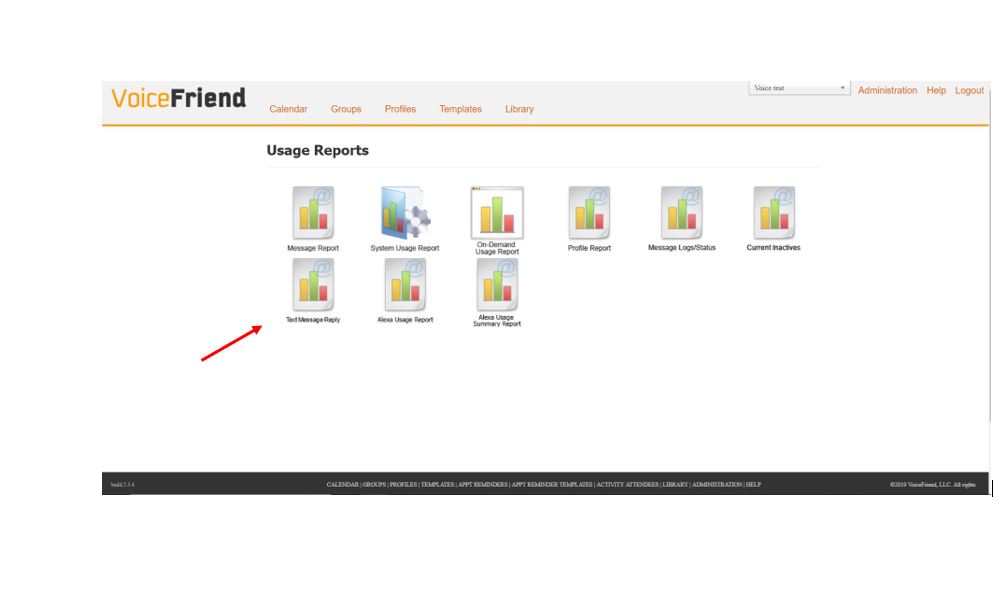
4. Next, click Text Message Reply.
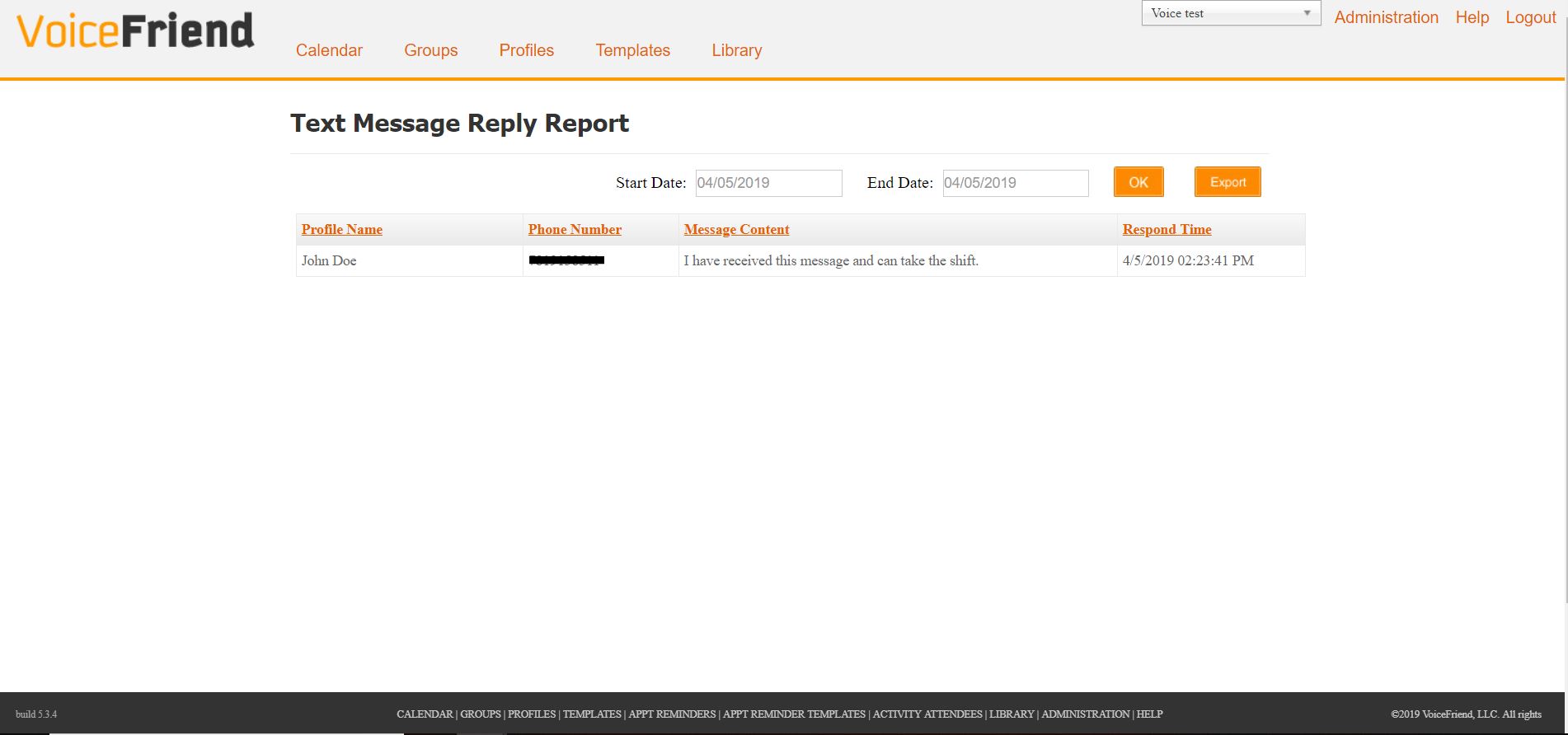
5. Enter the Start and End dates of the period for which you want to see replies. Please note that if you had replies to more than one text in that period, you will see them all.
Replying to a reply to a text
6. There is no facility in VoiceFriend to reply to a reply of a text message. You can either text directly from your mobile phone, or you can create a template in VoiceFriend to send another text to one or more people.